
Features
The calculators work on any device with a browser, and
Three Calculators
The Basic Calculator on the home page, the Big Red Calculator, and the Badger Calculator. While each has its own look, colors, and branding, they are identical underneath. Same calculator engine, same features, same precision. So whichever one you use, you're getting the same great calculator.
Features in Detail
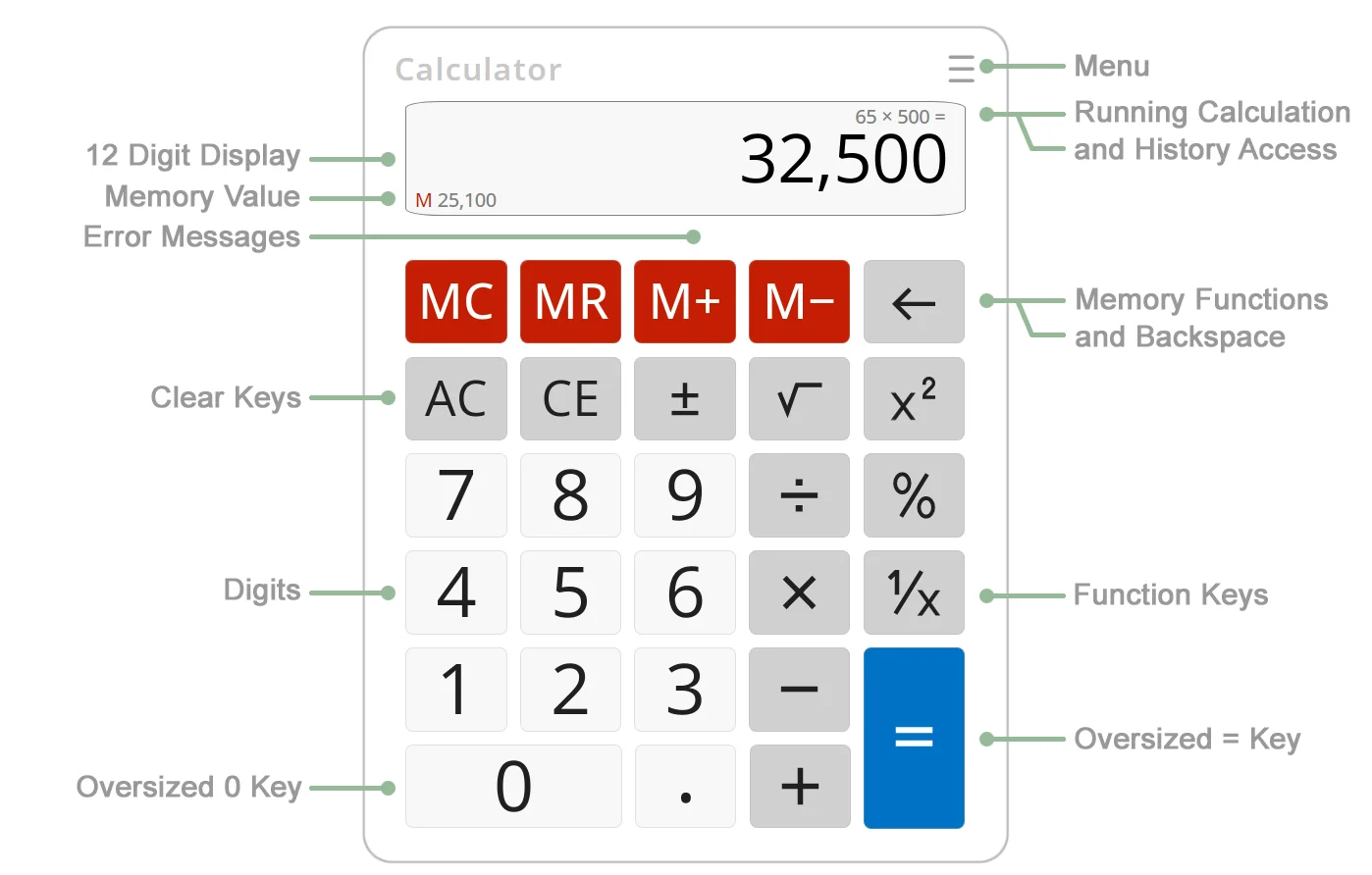
12-Digit Display with 16-Digit Math Precision
The large 12-digit display shows your current result clearly, while the calculator performs all math internally at 16-digit precision. This good for complex calculations since most calculators lose accuracy after just a few operations. These calculators don't. Try taking the square root of 2 seventeen times, then squaring the result seventeen times. You get 2 again. Many calculators fail this test after just two operations.
Calculation History
The last 100 calculations are saved in history and are then reusable. Open the History panel, click any past equation, and the calculator loads it back in so you can continue, modify, or build on it. With Save Work enabled (the default) in settings, history persists after you close the browser.
Memory Functions
The four memory buttons give you: M+ adds to memory, M−subtracts from memory, MR recalls the stored value, and MC clears it. The current memory value is visible in the display area so you know what's stored.
Saves Your Work
With the Save Work setting enabled (the default), the calculator remembers your current calculation, calculation history, memory, and your settings when you close the browser. Reopen it and pick up where you left off, even if you were in the middle of a calculation. Enter 2 + 3 +, close the browser, reopen, press 4 =, and you get 9.
Resizable Display
The calculator fills your browser window. Resize the window and the calculator resizes with it. Larger on a big desktop monitor, compact on a laptop.
Keyboard Input
Full keyboard support with visual feedback, When you press a number key the corresponding calculator button highlights so you know what was entered. Use number keys for digits, + − * / for operators, Enter or = for equals, Escape for All Clear, and Delete for Clear Entry.
Repeat Last Operation
Press = repeatedly to repeat the last operation. Enter 2 × 2 = = = = and you get the powers of two, 4, 8, 16, 32, each time you press =. Nice for repeated calculations without having to re-entering values.
Math Expression Display
As you enter a calculation the math expression appears above the main display. For example, 20 + 5 × 5 − 15. This lets you see the math, not just the last number entered.
International Number Formatting
Choose your preferred digit grouping (1,000,000 or 1.000.000 or 1 000 000) and your decimal symbol (period or comma). Negative numbers can display as −1 or in the accounting-style as (1). Your preferences are saved in the URL that's provided at the bottom of the settings panel.
Copy and Paste
Values in the 12-digit display can be copied out or pasted in, making it easy to move numbers between the calculator and other applications.
Custom Calculators
These calculators can be embedded in your own website. Past projects have included custom builds with corporate branding, dedicated calculator panels, and one-off features tailored to a business. Get in touch if you have something in mind.
Timers Built The Same Way . . .
You can see from our calculator what we care about. Namely a tool that is easy to use and can be adjusted to work the way you like.
We built online timers, alarm clocks and counters on the same principle at Timer123. There you can set the display size, colors and fonts, count up or down, loop or not, run in light or dark mode, and resize until the display reads clearly across a room. There are 50+ alarm sounds, and if none of them suit you, point it at a sound on the web.
Your setup saves into a link. Bookmark it and it reopens exactly as you configured it, or send that link to someone else and they get your timer, not a default one . . .